Note
You are viewing the documentation for an older release of Interworx (8.1). To see documentation for the current generally available release of Interworx, click here: 8.2.
Hosting Features: Domains
Hosting Features > Domains
This menu section in SiteWorx is where SiteWorx users can manage their account’s domains, SSL certificates, PHP versions, and DNS records.
The number of secondary, pointer, and subdomains a SiteWorx account is allowed to have, as well as if the account has access to edit the DNS records or SSL certificates said domains, are set by the NodeWorx user during account creation. These options can be updated and changed by the NodeWorx user via the Edit menu located in NodeWorx, under SiteWorx > Accounts.
If any of the above options are set to 0, or disabled, the associated menu items will not appear in the SiteWorx interface.
Documentation related to managing domains in SiteWorx can be found here.
Manage
Hosting Features > Domains > Manage
Note
In order for SSL to be accessible, the SiteWorx account must have access to SSL enabled in the Edit menu located in NodeWorx, under SiteWorx > Accounts.
To use Let’s Encrypt to generate SSL certificates, the plugin must also be enabled in NodeWorx under NodeWorx > Plugins, and the domain must resolve to the server.

The Manage page is where SiteWorx users can easily:
Manage the primary domain
Create Secondary domains
Generate and manage SSL certificates, using the Shield icon next to each domain
Access shortcuts to the File Manager, .htaccess files, logs, non-standard PHP extensions, and statistics, using the the … icon next to each domain
When a secondary domain is created, a new DNS zone is created for it, as is a new virtualhost file.
Secondary domains use the same unixuser as the primary domain, however they do have their own docroot,
found under /home/{unixuser}/{secondarydomain.com}/html, replacing {unixuser} and {secondarydomain.com}
with the corresponding information.
Information on managing secondary domains can be found here.
Information on managing SSL certificates can be found here.
Pointer
Hosting Features > Domains > Pointer

The Pointer page is where SiteWorx users can create domains which point to the primary or secondary domains for the account. Also known as a parked domain.
When a pointer domain is created, a new DNS zone is created for it, and it is also added to the ServerAlias section in the virtualhost file for the the domain it is pointing to.
Information on managing pointer domains can be found here.
Subdomain
Hosting Features > Domains > Subdomain

The Subdomain page is where SiteWorx users can create subdomains for any primary or secondary domain on the account.
When a subdomain is created, a CNAME record is created under the parent domain’s DNS zone. It is also added to the ServerAlias section in the vhost file for the parent domain.
By default, a subdomain’s docroot is set to use /home/{unixuser}/{domain.com}/html/{sub}, replacing {sub} with
the corresponding subdomain prefix. Subdomains also inherit the PHP version of the parent domain.
The docroot and PHP version for the subdomain can be customized after creation.
Information on managing subdomains can be found here.
PHP Options
Hosting Features > Domains > PHP Options
Note
In order for different PHP versions to be available, Multiple PHP must be enabled in NodeWorx under System Services > Web Server, the PHP version must be installed from that same page, and the PHP version must be enabled for the the SiteWorx account via the Edit menu located in NodeWorx, under SiteWorx > Accounts.
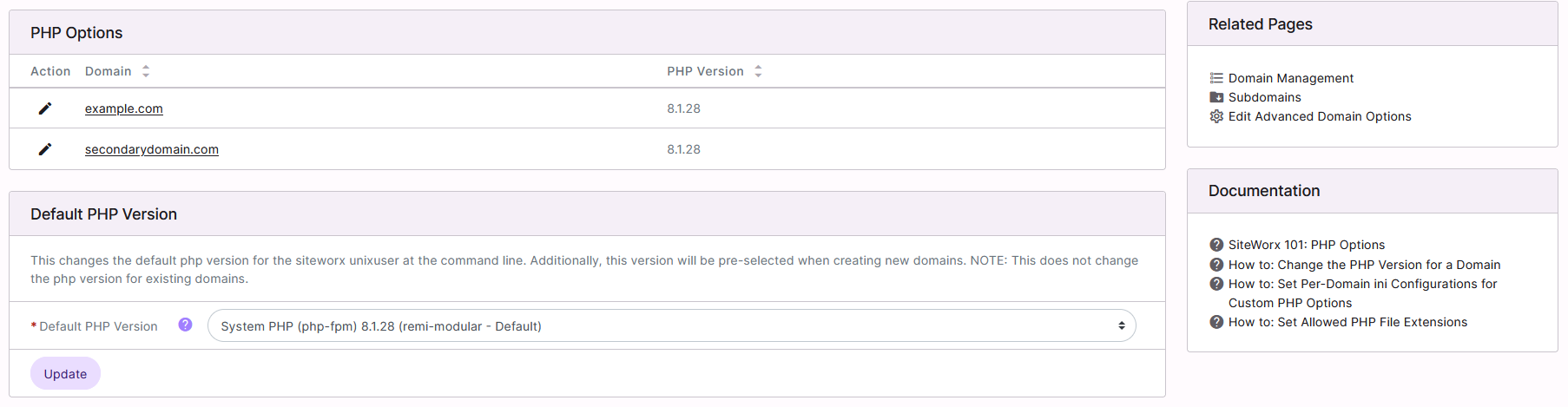
The PHP Options page is where SiteWorx users can update the PHP version for each domain, if Multiple PHP is enabled on the server.
Information on managing the PHP version for domains can be found here
DNS Records
Hosting Features > Domains > DNS Records
Note
In order for DNS Records to be accessible, the SiteWorx account must have Edit DNS Records enabled in the Edit menu located in NodeWorx, under SiteWorx > Accounts.
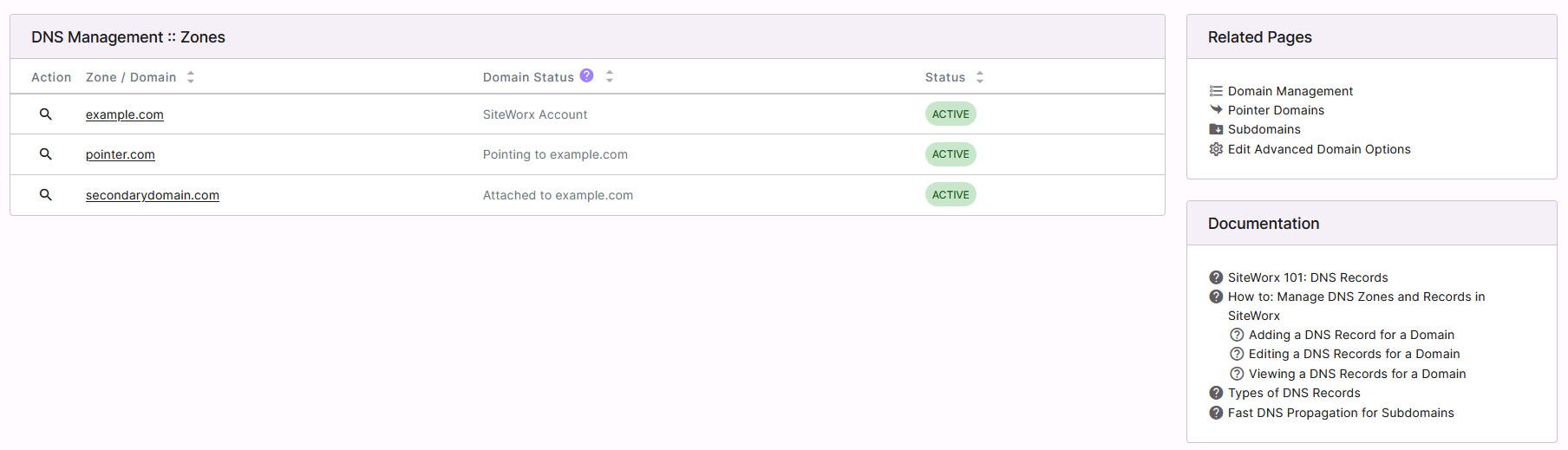
The DNS Records page is where SiteWorx users can manage the DNS records for their domains.
Information on managing DNS records in Siteworx can be found here.
Advanced
Hosting Features > Domains > Advanced

The Advanced page is where SiteWorx users can manage advanced options for their domains. These options include:
Enable or disable transfer and error logging
Additional server aliases
Additional IPs that should be added to the domain’s vhost under port 80 or 443
Enable or disable custom includes
Manage custom include Location
Information on managing advanced options in Siteworx can be found here.