Note
You are viewing the documentation for an older release of Interworx (8.0). To see documentation for the current generally available release of Interworx, click here: 8.2.
Preferences
The Preferences menu is where SiteWorx users can manage their preferences for whether to save the Transfer log files for their domains in a downloadable format, as well as their notification settings for SiteWorx problem detectors.
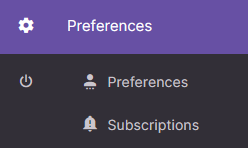

These options can be accessed either via the left-hand menu, or the SiteWorx Home page.
Whether a SiteWorx user has the ability to save Web Transfer logs is determined by the NodeWorx user during account creation. This option can be updated and changed by the NodeWorx user via the Edit menu located in NodeWorx, under SiteWorx > Accounts.
If the Save Web Transfer Logs option is disabled, that menu item will not appear in the SiteWorx interface.
Preferences
Preferences > Preferences

This page is where SiteWorx users can choose whether to save Transfer logs.
If Yes is selected, the transfer logs will be saved in a format that can be downloaded.
If No is selected, the logs are not saved and can not be downloaded and analyzed offline.
Subscriptions
Preferences > Subscriptions
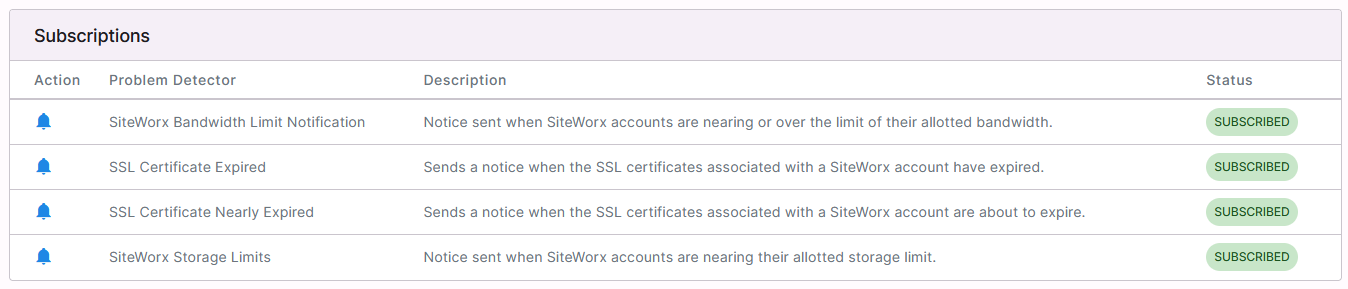
This page is where SiteWorx users can manage notification settings for SiteWorx Problem Detectors