How To: Manage Multiple PHP Versions for SiteWorx Accounts
The InterWorx Control Panel provides the ability to install more than one version of PHP using the Multiple PHP tool. Server Administrators can then allow SiteWorx accounts access to specific PHP versions, so that those versions can then then be assigned to specific domains within SiteWorx.
Information on installing multiple PHP versions can be found here.
Documentation on how to set PHP versions for specific domains in SiteWorx can be found here.
To Set the Default PHP Version for SiteWorx Accounts
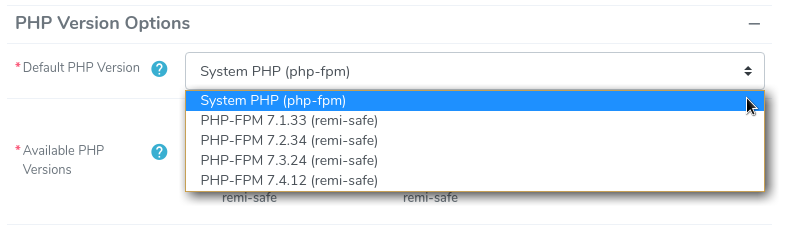
The Default PHP Version is what will be pre-selected when creating new SiteWorx accounts.
This also controls the default value when using an API call to create a new SiteWorx Account.
Note
Changing the default PHP version will only affect newly created SiteWorx accounts. The PHP version for existing accounts will not be changed.
Log into NodeWorx from the browser (https://ip.ad.dr.ess:2443/nodeworx)
From NodeWorx, navigate to System Services > Web Server > Overview

From the Default PHP Version dropdown, select the installed PHP version to set as the default
Click Update
To Enable Specific PHP Versions for a SiteWorx Account
It is possible for server administrators to set specific PHP versions that a SiteWorx account has access to. This can be achieved both when creating a new SiteWorx account, or when editing an existing one.
Log into NodeWorx from the browser (https://ip.ad.dr.ess:2443/nodeworx)
From NodeWorx, navigate to SiteWorx > Accounts
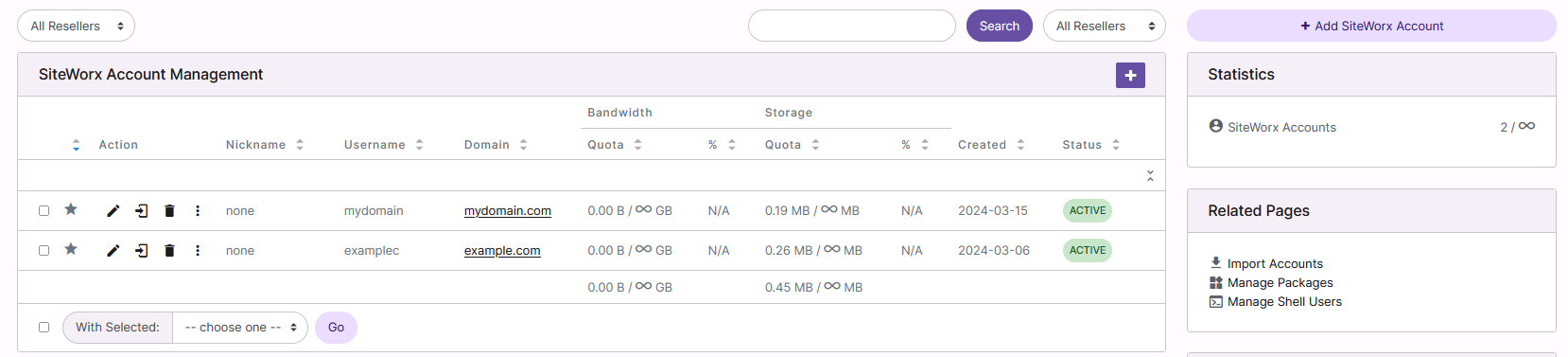
If creating a new SiteWorx account, click + or Add SiteWorx Account
If editing an existing SiteWorx account, click the Pencil next to the account. This opens the SiteWorx Account Management form
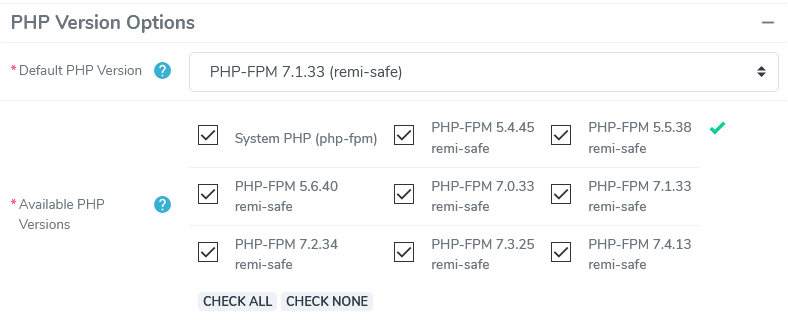
To select the Default PHP Version for the SiteWorx account (if different from the default set on the Webserver page), select the PHP version from the PHP Versions dropdown under PHP Options
To select and PHP versions that the SiteWorx account should have the ability to use, other than the default, under Available PHP Versions, select the checkbox next to all PHP versions that apply
To select all versions, click check all
Click Save