How To: Manage MySQL Database Users
From the SiteWorx interface, SiteWorx users can create and manage MySQL database users.
By default, all database users created in SiteWorx will be prefixed by the SiteWorx account unix username. While there it is not possible to create non-prefixed database users from within SiteWorx, users with shell access may do so from the CLI.
To Create a New Database User
Log into SiteWorx from the browser (https://ip.ad.dr.ess:2443/siteworx)
In SiteWorx, navigate to Hosting Features > MySQL > Users, either from the side menu or SiteWorx home

Click + or Add a MySQL User. This opens the Add a MySQL User form
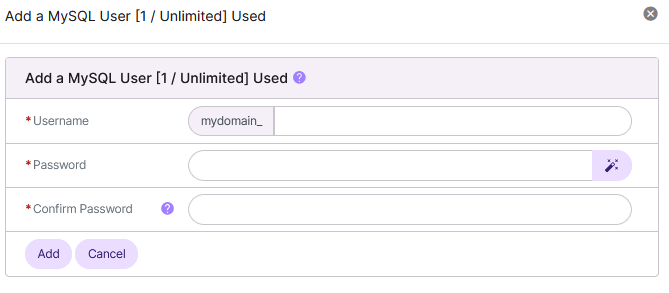
Update the required fields:
Username: The database username
Password/Confirm Password: The password for the user. Clicking the Magic Wand automatically generates a secure password
Click Add
To Edit a Database User
Log into SiteWorx from the browser (https://ip.ad.dr.ess:2443/siteworx)
In SiteWorx, navigate to Hosting Features > MySQL > Users, either from the side menu or SiteWorx home
Click the Pencil next to the user. This opens the MySQL User Account: Change Password form
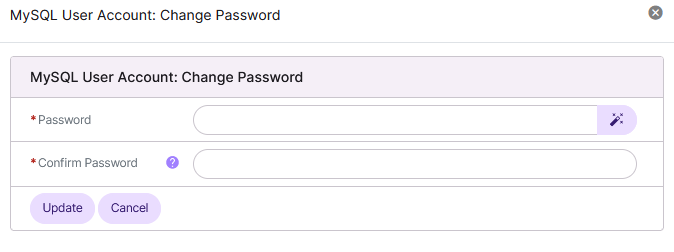
Update the Password/Confirm Password fields. Clicking the Magic Wand automatically generates a new secure password
Click Save
To Add a Database User to a Database
Log into SiteWorx from the browser (https://ip.ad.dr.ess:2443/siteworx)
In SiteWorx, navigate to Hosting Features > MySQL > Databases, either from the side menu or SiteWorx home

Click the Person icon next to the Database. The opens the User Permissions page
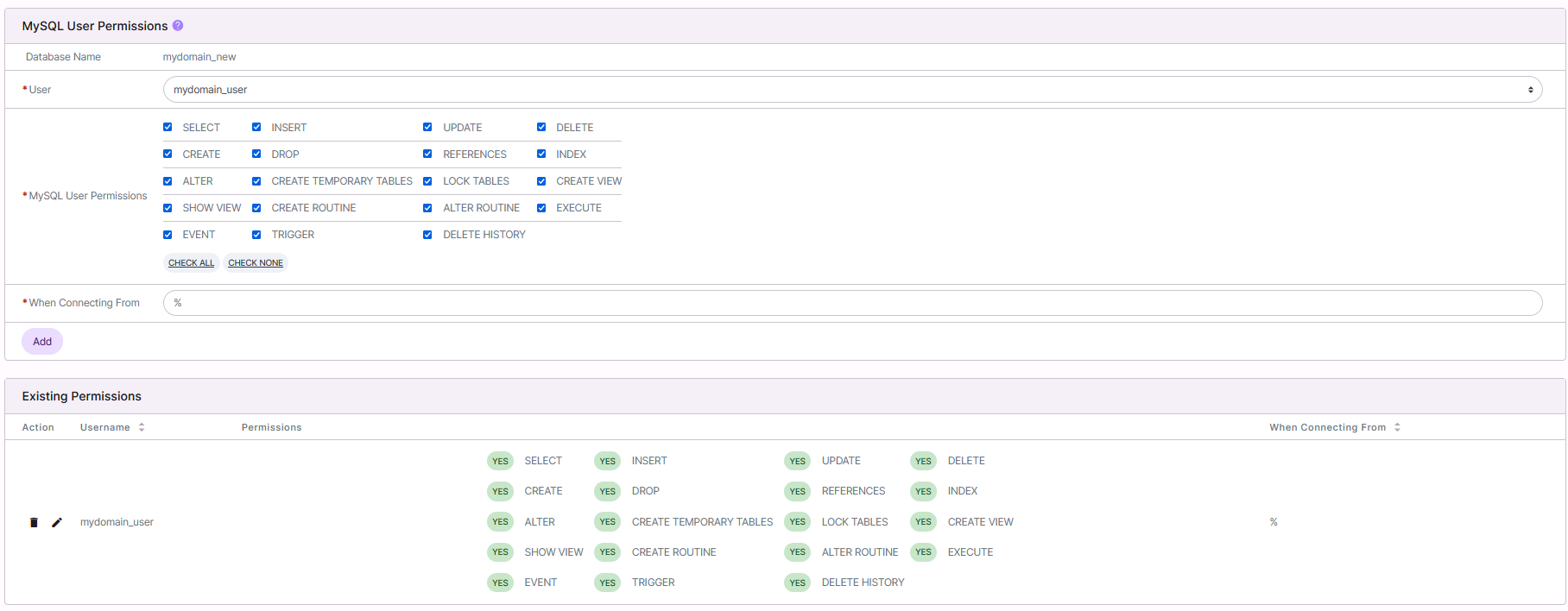
Update the required fields:
User: The user that will be added to the database
MySQL User Permissions: The permissions the database user should have
When Connecting From: The host the database user will connect from. % is the default, which is a wildcard
Click Add
To Delete a Database User
From the Users List
Log into SiteWorx from the browser (https://ip.ad.dr.ess:2443/siteworx)
In SiteWorx, navigate to Hosting Features > MySQL > Users, either from the side menu or SiteWorx home
Click the Trashcan icon next to the user. This opens the Confirmation form
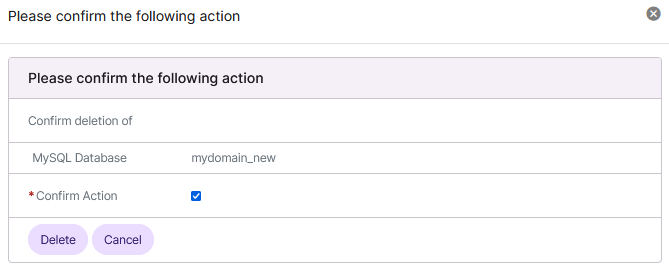
Click Delete
From the With Selected Dropdown
Log into SiteWorx from the browser (https://ip.ad.dr.ess:2443/siteworx)
In SiteWorx, navigate to Hosting Features > MySQL > Users, either from the side menu or SiteWorx home
Select the checkbox next to the user(s)
Selecting the checkbox next to the With Selected dropdown will automatically select all users
Select Delete from the With Selected dropdown
Click Go. This opens the Confirm Deletion form
Click Delete