Note
You are viewing the documentation for an older release of Interworx (8.1). To see documentation for the current generally available release of Interworx, click here: 8.2.
How To: Set Up a Vacation Message in Webmail
Vacation messages can be set from Roundcube.
The vacation message for an email address can also be set up from the SiteWorx Interface.
To Set a Vacation Message in Roundcube
Log into Roundcube from the browser, either via any of the following paths, replacing {hostname.com}, {domain.com} or {ip.ad.re.ss} with the respective information:
In Roundcube, navigate to Settings > Vacation Message
Update the Vacation Message box with the desired message
Toggle the Vacation Message on/off button so that it is blue. This indicates that the vacation message is enabled. If that button is gray, it indicates the vacation message is disabled
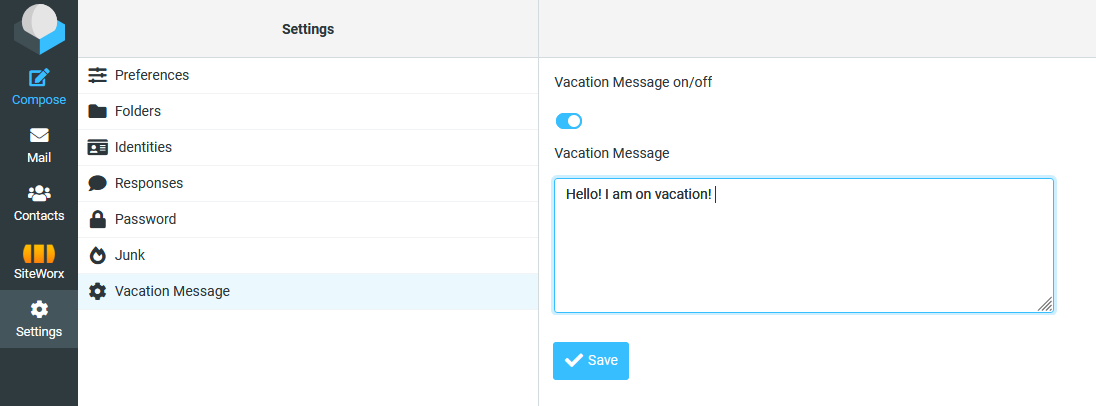
Click Save