Note
You are viewing the documentation for an older release of Interworx (8.0). To see documentation for the current generally available release of Interworx, click here: 8.2.
How To: Map Unassigned Non-Prefixed Databases and Users to a SiteWorx Account
From the Remote Servers page in Nodeworx, server administrators can map unassigned non-prefixed databases and database users a SiteWorx account.
To Map an Unassigned Non-Prefixed User
Log into NodeWorx from the browser (https://ip.ad.dr.ess:2443/nodeworx)
In NodeWorx, navigate to System Services > MySQL Server > Manage Servers
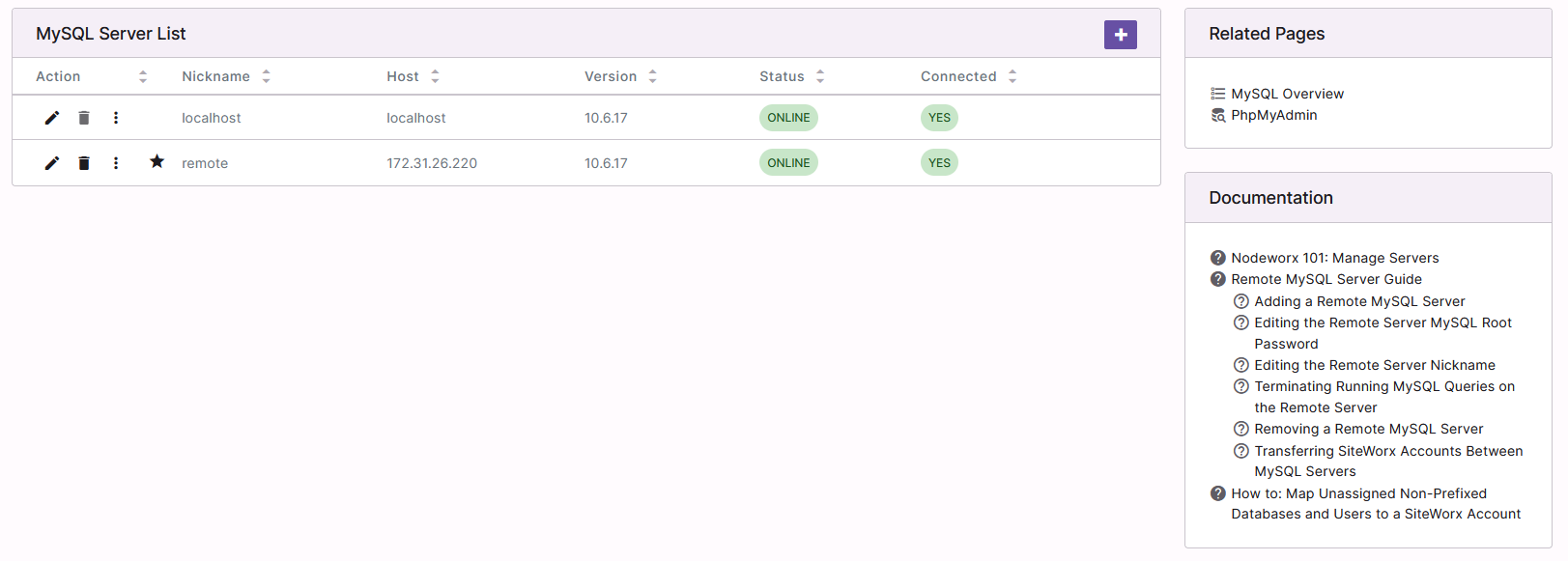
Click the three vertical dots next to the MySQL server. This opens an options dropdown
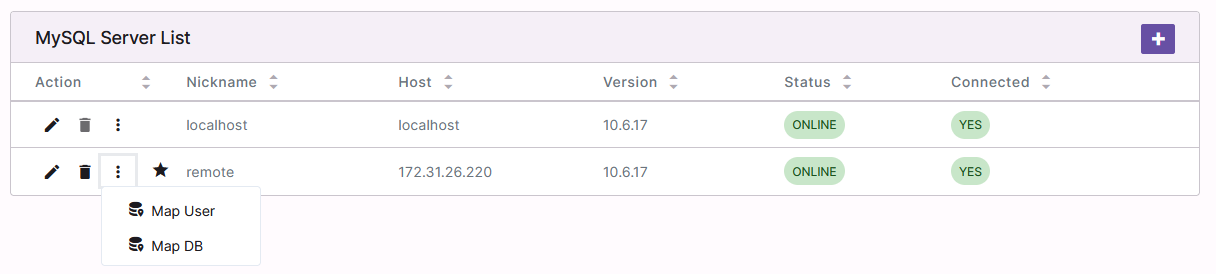
Click Map User. This opens the Map User form
Select the desired settings from the dropdowns:
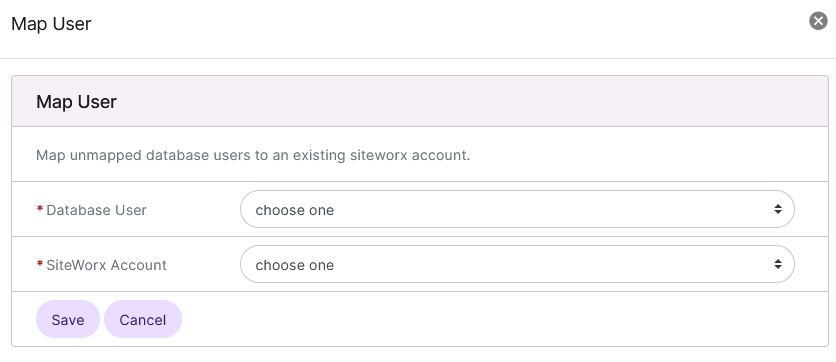
Database User: The unassigned database user
SiteWorx Account: The account the user should be mapped to
Click Save
To Map an Unassigned Non-Prefixed Database
Log into NodeWorx from the browser (https://ip.ad.dr.ess:2443/nodeworx)
In NodeWorx, navigate to System Services > MySQL Server > Manage Servers
Click the three vertical dots next to the MySQL server. This opens an options dropdown
Click Map DB. This opens the Map DB form
Select the desired settings from the dropdowns:
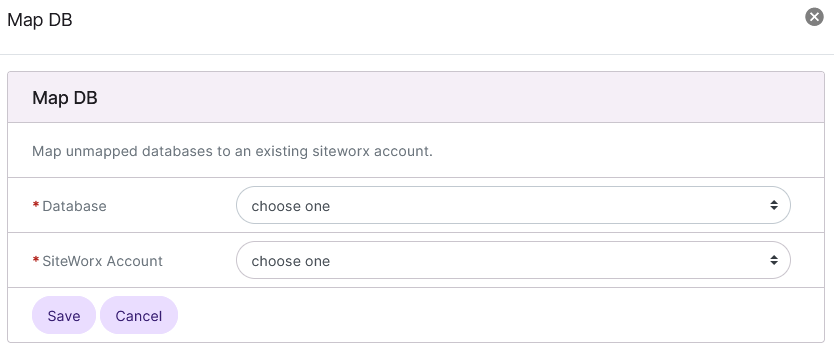
Database: The unassigned database
SiteWorx Account: The account the database should be mapped to
Click Save