How To: Manage Advanced Domain Options
To Manage Advanced Options
Log into SiteWorx from the browser (https://ip.ad.dr.ess:2443/siteworx)
In SiteWorx, navigate to Hosting Features > Domains > Advanced, either from the side menu or SiteWorx home

Click the pencil next to the domain. This opens the Advanced Domain Options form
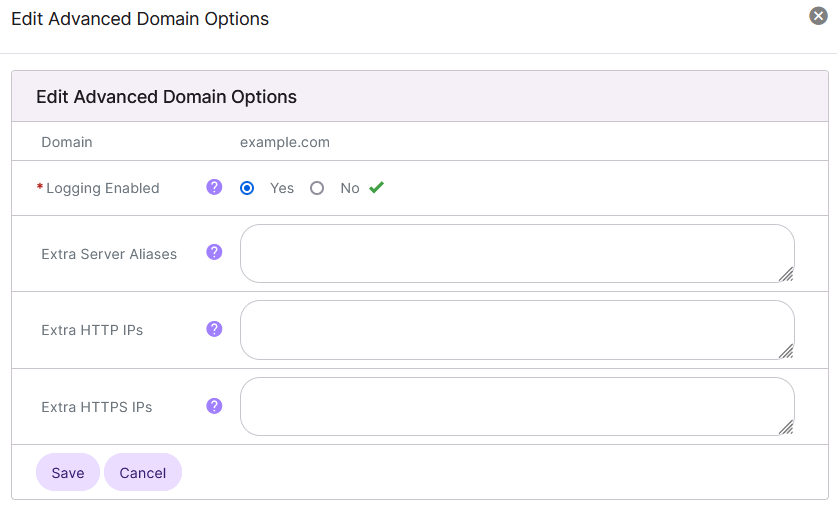
Update the desired settings:
Logging Enabled: Enables or disables transfer and error logging for the domain
Extra Server Aliases: Additional server aliases to setup for the domain. Input in this form is limited to subdomains of domains in the account. Wilcards are allowed
Extra HTTP IPs: Additional IPs that should be added to the domain’s vhost under port 80
Extra HTTPS IPs: Additional IPs that should be added to the domain’s vhost under port 443
Click Save