Note
You are viewing the documentation for an older release of Interworx (8.1). To see documentation for the current generally available release of Interworx, click here: 8.2.
How To: Manage Two-Factor Authentication for NodeWorx
Server Administrators and NodeWorx Users can manage Two-Factor Authentication (2FA) for their user accounts from the Authentication page in NodeWorx.
To Enable 2FA
Log into NodeWorx from the browser (https://ip.ad.dr.ess:2443/nodeworx)
In NodeWorx, navigate to NodeWorx > Authentication
Click Generate. This opens the Generate Key form

Using the authenticator app of choice, scan the QR Code
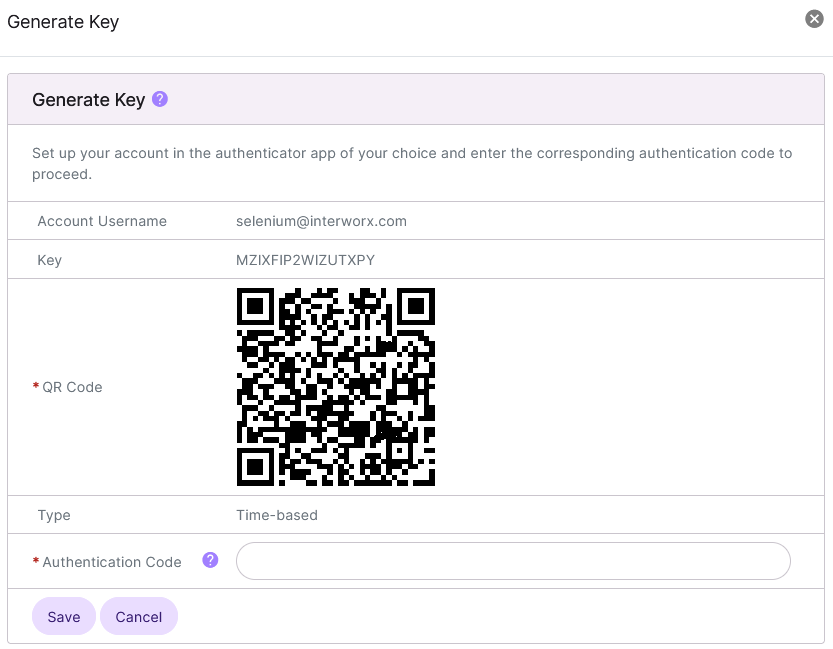
Update the Authentication Code field with the corresponding code generated by the authenticator app
Click Save
To Disable 2FA
To Disable Using the GUI
Log into NodeWorx from the browser (https://ip.ad.dr.ess:2443/nodeworx)
In NodeWorx, navigate to NodeWorx > Authentication
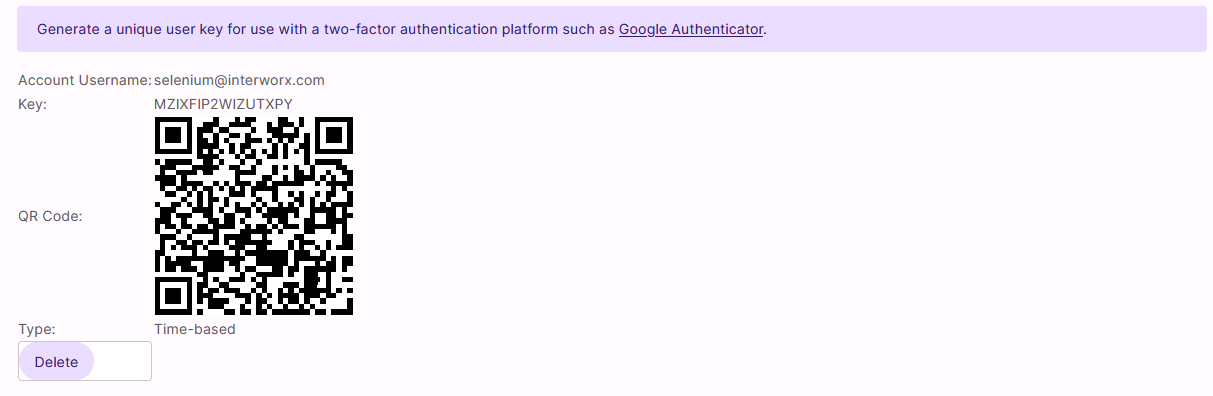
Click Delete
To Disable Using the CLI
Log in to the server at the CLI as root, either via SSH or from the terminal
At the CLI, run the following command:
nodeworx -u -n -c Twofactorauth -a delete